Ask most business owners what AI can actually do for them and you hear the same short list: it writes text, it answers questions, maybe it powers a chatbot on the website. Useful, but limited. The version of AI that genuinely moves the needle is the one that can reach into your business - read your orders, update your CRM, pull a customer's invoice history, book the appointment - and do the work. For years the missing piece was a safe, standard way to connect AI to all of that. In 2026, that standard finally has a name that keeps coming up in every serious AI conversation: MCP, the Model Context Protocol.
If you have heard the term and quietly filed it under "technical jargon I can ignore," this is the article to change that. MCP is not a passing framework or a vendor gimmick. It is quickly becoming the way AI systems connect to the real world, and understanding it at a business level tells you a lot about what your company can automate over the next year.
What MCP Is, in Plain English
The easiest way to understand MCP is to think about USB-C. Before USB-C, every device had its own connector: one cable for your phone, another for your camera, a third for your laptop. It was a mess. USB-C replaced that chaos with a single standard port that everything could use.
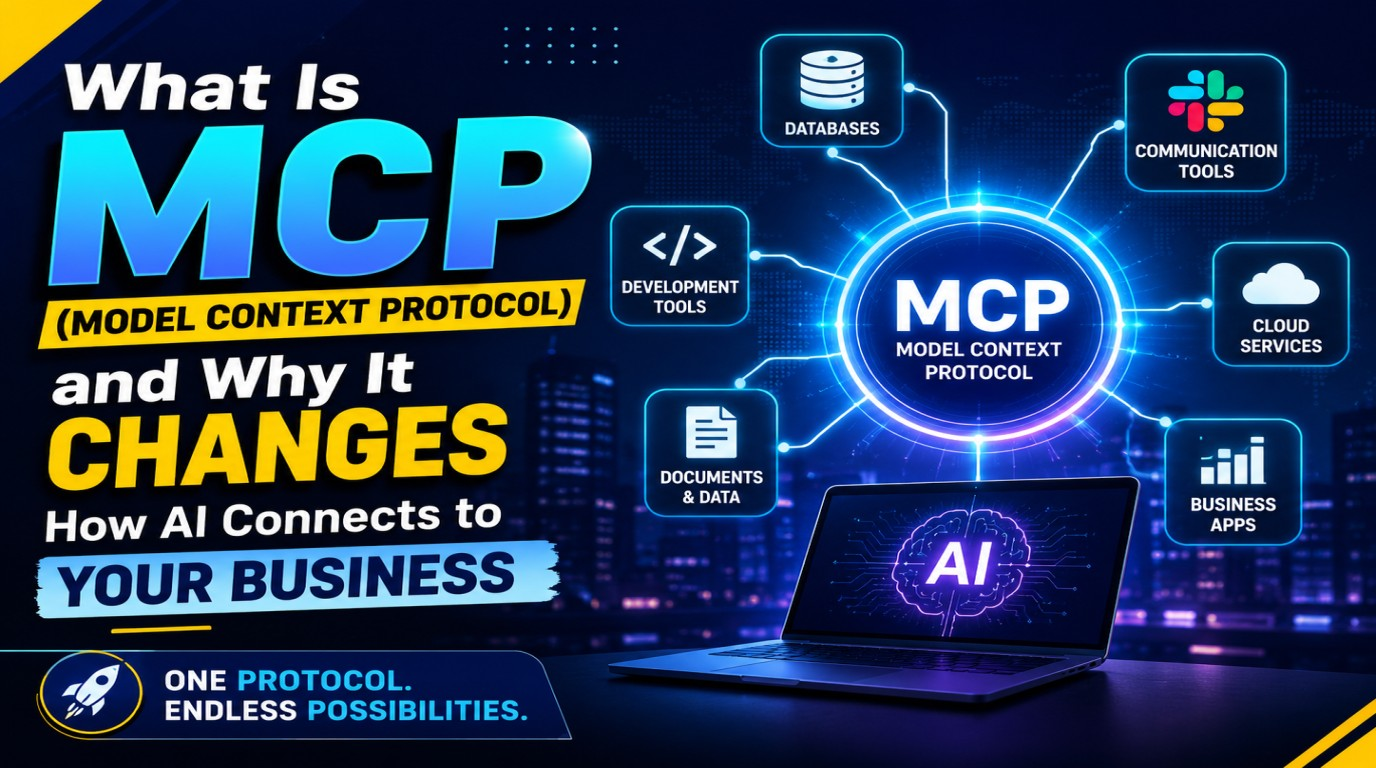
MCP does the same thing for AI. It is an open standard - originally introduced by Anthropic in late 2024 and adopted broadly across the industry through 2025 and 2026 - that lets any AI model connect to any tool or data source through one common interface. Instead of building a custom, one-off connection between your AI and every single system you use, you connect through MCP once, and the AI can discover and use whatever it is allowed to.
That is the whole idea: a universal port that lets AI plug into your business.
The Problem MCP Solves
To appreciate why this matters, picture the world before MCP. Say you want your AI assistant to work with three systems: your CRM, your accounting software, and your support inbox. Someone has to build a custom integration for each one. Now add a second AI tool, and a third. Every new AI needs its own custom connection to every system.
Engineers call this the N-by-M problem. If you have a handful of AI applications and a handful of tools, you end up maintaining dozens of fragile, bespoke integrations. Each one breaks when a system updates. Each one is a small project to build and a bigger project to maintain. This is a big part of why so many promising AI pilots never made it into daily operations - the wiring was simply too expensive to maintain.
MCP collapses that mess. You expose each system once through a standard interface, and any MCP-compatible AI can use it. The wiring stops being the bottleneck.
How MCP Actually Works, Without the Jargon
There are only three pieces you need to picture:
- The AI app (the client). This is the assistant or agent your team talks to - the thing asking to get work done.
- The MCP server (the adapter). This is a small piece of software that sits in front of one of your systems - your database, your file storage, your CRM, QuickBooks, Slack - and exposes it in the standard MCP format.
- What the server offers. Each server publishes a menu of capabilities: tools (actions the AI can take, like "create invoice" or "look up order"), resources (data the AI can read, like a document or a customer record), and prompts (ready-made instructions for common tasks).
When the AI connects, it discovers that menu automatically and calls what it needs in a structured, predictable way. You are not hoping the AI guesses the right API. You are handing it a labelled set of buttons it is allowed to press.
What This Looks Like Inside a Real Business
The abstraction becomes obvious once you make it concrete. With the right MCP servers connected, an AI assistant can:
- Read a customer's full order and support history before answering a ticket, then draft a reply that actually references their account.
- Pull outstanding invoices from your accounting system and flag the ones overdue by more than thirty days.
- Answer staff questions from your internal documents and policies instead of making things up - the same reliability problem that retrieval and RAG were built to solve.
- Create a draft purchase order, check stock levels, and route it to a human for approval - all in one conversation.
None of these are science fiction. They are ordinary workflows that used to require a person to open five tabs and copy data between them. MCP is what lets the AI stand in for that tab-hopping.
MCP and Agentic AI: Why 2026 Is the Tipping Point
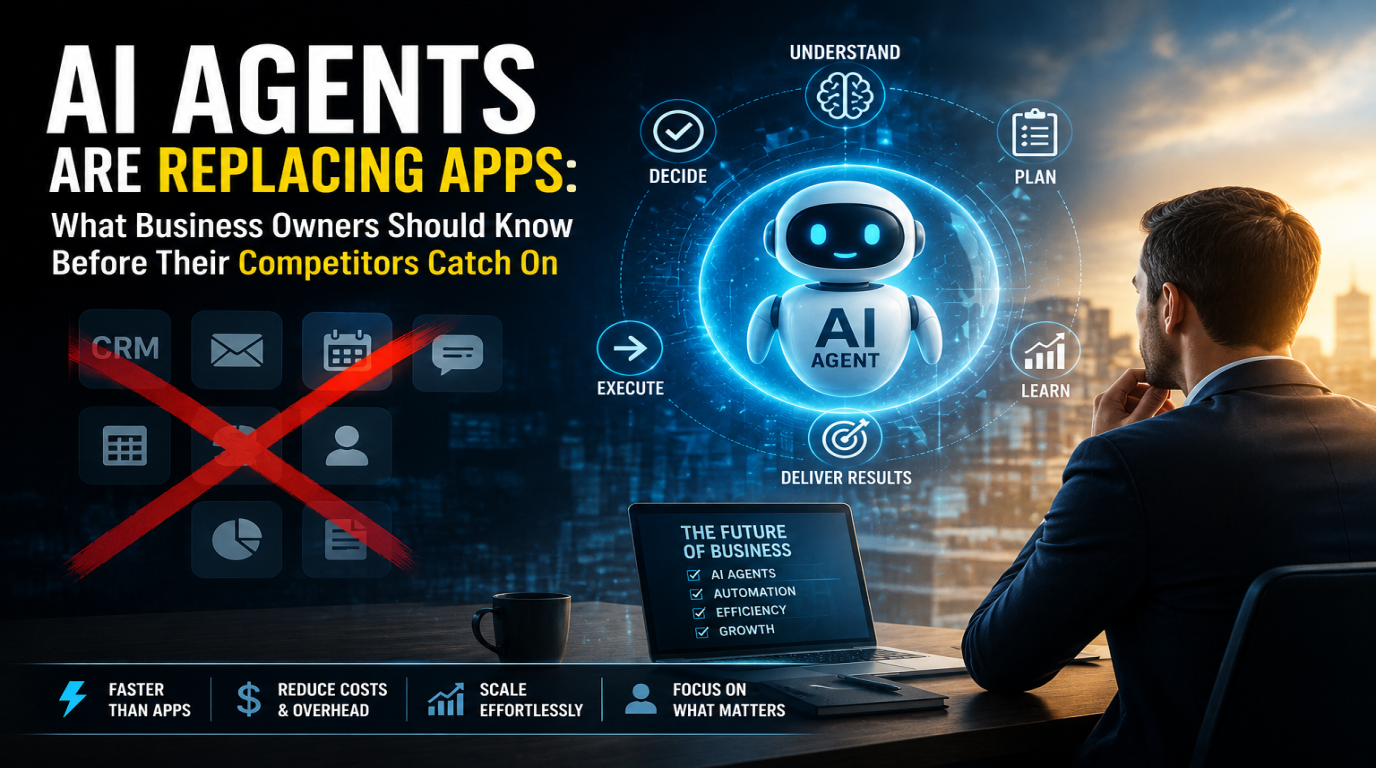
The biggest shift in AI this year is the move from assistants that answer to agents that act - software that can carry out multi-step tasks across several tools without a human driving every click. Agentic AI is being called the defining technology trend of 2026 for exactly this reason.
But an agent is only as capable as the things it can reach. An agent with no connection to your systems is a very expensive chatbot. MCP is the connective tissue that turns "AI that can talk about your business" into "AI that can operate parts of your business." That is why the two trends are rising together: agents create the demand, and MCP provides the plumbing. It is also the natural next layer on top of the kind of production-ready AI systems serious teams are already building.
The Part Everyone Skips: Security and Governance
Here is where excitement needs a cold shower. The moment you give an AI the ability to act on your systems, you have created a new category of risk. We have already seen how badly this can go - an AI assistant with unchecked production access can do enormous damage in minutes, as one widely shared incident showed when an AI wiped a company's production database.
MCP does not remove that risk on its own. What it does is give you a clean place to control it. Done properly, an MCP setup should include:
- Scoped permissions. Each server exposes only the specific actions and data the AI genuinely needs - read-only where possible, never blanket write access to everything.
- Its own credentials. The AI connects with its own limited-permission account, never a staff member's login, so its access can be revoked in seconds.
- Human-in-the-loop for anything destructive. Actions that delete, refund, pay, or send should pause for a human to approve before they run.
- Full audit logging. Every action the AI takes is recorded with a timestamp and the request behind it, so you can always answer "what did the AI actually do?"
Treat an AI agent the way you would treat a capable but brand-new employee: give it useful access, watch what it does, and never hand it the keys to production on day one.
Should Your Business Adopt MCP Now?
Not every company needs to rush. A sensible read for 2026 looks like this:
- Adopt now if you already run repetitive workflows across several systems - support, order processing, invoicing, reporting - and your team spends real hours moving data between tools. This is exactly where MCP-connected AI pays for itself fast.
- Experiment carefully if you are exploring AI but your data lives in one or two systems. Start with a single read-only connection and prove the value before expanding.
- Wait if your processes are not documented yet. AI that acts on a messy process just automates the mess. Clean up the workflow first.
How Logic Providers Helps
At Logic Providers, connecting AI to real business systems is core to what we build. When we set up MCP-based integrations for a client, we start with the workflow and the guardrails, not the hype: we map which systems the AI should reach, expose them through properly scoped MCP servers, put approval gates in front of anything risky, and log everything. The result is AI that does real work inside your business without becoming a liability.
MCP is not just another acronym to nod along to. It is the standard that decides whether AI stays a clever demo or becomes a genuine part of how your company runs. The businesses that understand it early will spend 2026 quietly automating the work their competitors are still doing by hand.
If you want to know where MCP-connected AI could realistically save your team time - and where the risks sit - Logic Providers offers a free, no-pressure review of your current tools and workflows. We will tell you honestly what is worth automating now and what can wait.